Graphic Design with the 1960s • Lesson 5
ADVANCED SHAPES & COLORS
Compound Shapes + Gradients = Your '60s Band Logo
🤔 BIG QUESTION: How do designers combine simple shapes to create complex logos and designs?
1 class period
Band Logo
Canva + Combo App
PNG + Reflection
✅ Create advanced designs by combining shapes (compound shapes) and blending colors (gradients)
Two skills you need for today's band logo:
🔷
Compound Shapes
Combine two or more shapes to create a brand-new shape
🌈
Color Gradients
A smooth blend from one color to another — like a sunset!
These are the 4 ways to combine shapes using the Combo App in Canva:
1. Union ➕
Merges shapes together into one big shape. Like gluing two pieces of paper together.
2. Subtract ➖
Cuts the top shape out of the bottom shape. Like a cookie cutter!
3. Intersect ✂️
Keeps only the part where shapes overlap. Everything else disappears.
4. Exclude / Difference 🔄
Removes the overlapping part and keeps everything else. Opposite of intersect!
In Canva, click on any shape's color → choose Gradient instead of solid color:
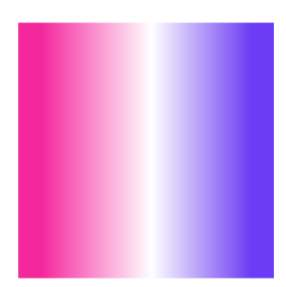
Linear ↔️
Colors blend in a straight line (left to right, top to bottom)
Radial 🎯
Colors blend outward from the center like a target
Angular 🔄
Colors blend in a circle, like a color wheel
Linear Gradient Example:
Radial Gradient Example:

 → search "Combo" →
Video 1: How to Use the Combo App in Canva
This is the tool YOU will use for compound shapes:
Video 2: Gradients & Compound Shapes Overview
Learn the concepts behind gradients and compound shapes:
⚠️ NOTE: This video shows an older tool for compound shapes. Use the Combo App from Video 1!
Design a '60s band logo for "Rainbow Music Collective"! Your logo MUST include:
EXEMPLAR:
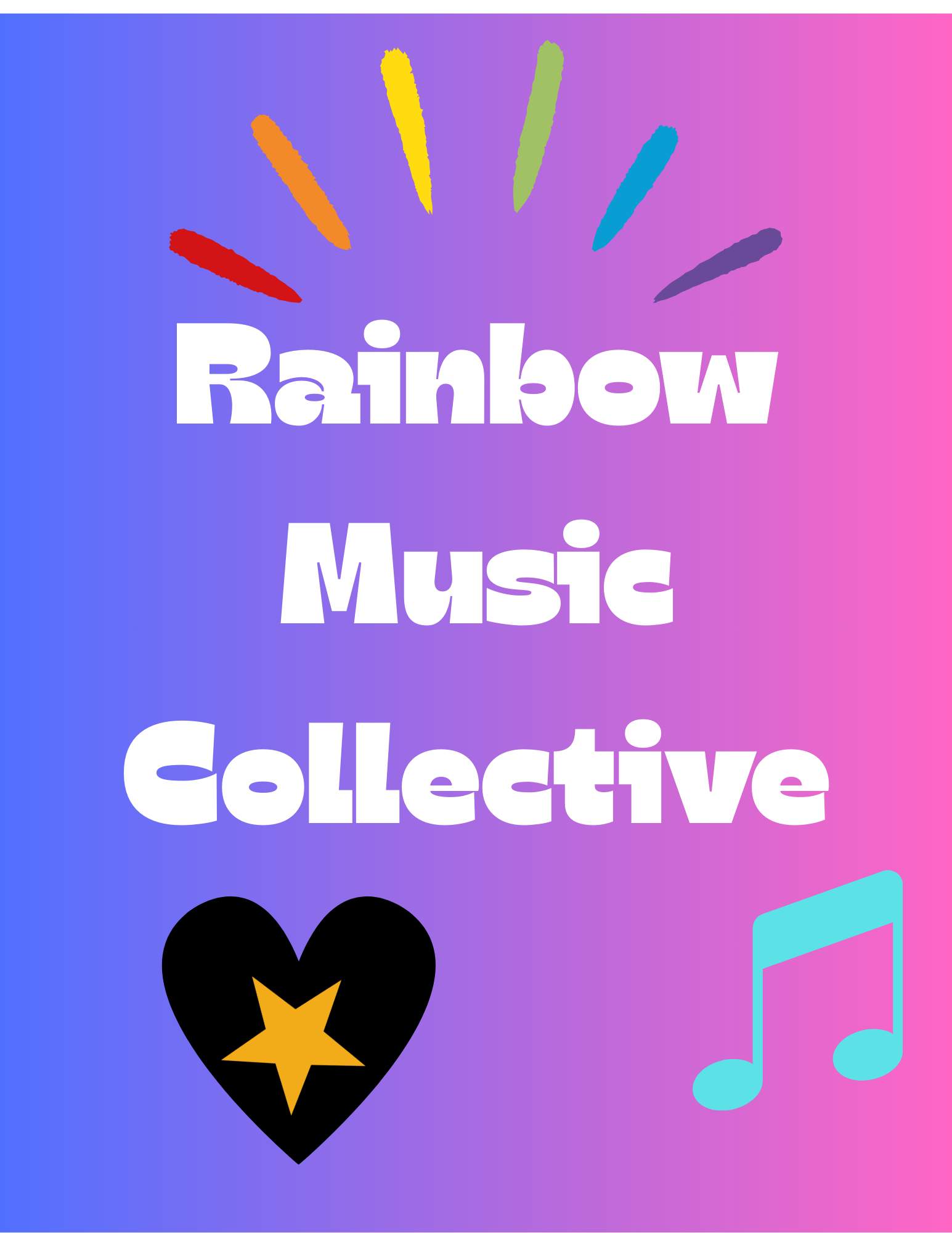
🎸
Band Name
"Rainbow Music Collective" visible in design
🔷
1+ Compound Shape
Use Combo App: union, subtract, intersect, or exclude
🌈
1+ Gradient
Use a linear, radial, or angular gradient somewhere
✨
'60s Vibe
Think bold, groovy, psychedelic — this is a 1960s band!
💡 Stuck? Start with two circles overlapping, then try Subtract in the Combo App to make a crescent moon shape. Add a gradient and the band name — you've got a logo!
⭐ LEVEL UP: Try to recreate the image below in Canva using compound shapes. Export your design as a PNG and submit it along with your band logo design.

1. Click Share (top right in Canva)
2. Click Download
3. Change file type to PNG
4. Click Download and save to your device
5. Name your file. Replace LastName and FirstName with your own name: LastName-FirstName-BandLogo.png
💥 POW! SUBMIT YOUR WORK! 💥
1. Click Start Assignment on this page
2. Upload your PNG file (LastName-FirstName-BandLogo.png)
3. Answer the reflection question in the Comments box
💬 REFLECTION: Which compound shape operation did you use, and what does it do to the shapes?
"I used ______ (union, subtract, intersect, or exclude). It ______ my two shapes, which made ______ in my logo."
WORD BANK:
union = merges them into one shape • subtract = cuts the top shape out of the bottom one • intersect = keeps only the overlap • exclude = removes the overlap and keeps the rest • gradient • compound shape • crescent • lens • ring • blend
✅ Crear diseños avanzados combinando figuras (figuras compuestas) y mezclando colores (degradados)
Dos habilidades que necesitas para el logo de banda de hoy:
🔷
Figuras Compuestas
Combinar dos o más figuras para crear una forma totalmente nueva
🌈
Degradados de Color
Una transición suave de un color a otro — ¡como un atardecer!
Estas son las 4 formas de combinar figuras usando la App Combo en Canva:
1. Union ➕
Fusiona las figuras en una sola. Como pegar dos piezas de papel juntas.
2. Subtract ➖
Recorta la figura de arriba de la de abajo. ¡Como un cortador de galletas!
3. Intersect ✂️
Solo mantiene la parte donde las figuras se superponen. Todo lo demás desaparece.
4. Exclude / Difference 🔄
Elimina la parte que se superpone y mantiene todo lo demás. ¡Opuesto a intersect!
En Canva, haz clic en el color de cualquier figura → elige Gradient en vez de color sólido:
Linear ↔️
Los colores se mezclan en línea recta
Radial 🎯
Los colores se mezclan desde el centro hacia afuera
Angular 🔄
Los colores se mezclan en círculo
Ejemplo de Degradado Linear:
Ejemplo de Degradado Radial:
→ busca "Combo" →Video 1: Cómo Usar la App Combo en Canva
Esta es la herramienta que TÚ vas a usar para figuras compuestas:
Video 2: Degradados y Figuras Compuestas
Aprende los conceptos detrás de degradados y figuras compuestas:
⚠️ NOTA: Este video muestra una herramienta antigua para figuras compuestas. ¡Usa la App Combo del Video 1!
¡Diseña un logo de banda de los '60s para "Rainbow Music Collective"! Tu logo DEBE incluir:
EJEMPLO:
🎸
Nombre de la Banda
"Rainbow Music Collective" visible en el diseño
🔷
1+ Figura Compuesta
Usa App Combo: union, subtract, intersect o exclude
🌈
1+ Degradado
Usa un degradado linear, radial o angular en algún lugar
✨
Estilo de los '60s
Piensa en diseños atrevidos, groovy, psicodélicos — ¡es una banda de los 1960!
💡 ¿No sabes qué hacer? Empieza con dos círculos que se superpongan, luego usa Subtract en la App Combo para hacer una luna creciente. Agrega un degradado y el nombre de la banda — ¡ya tienes un logo!
⭐ SUBE DE NIVEL: Intenta recrear la imagen de abajo en Canva usando figuras compuestas. Exporta tu diseño como PNG y envíalo junto con tu logo de banda.
1. Haz clic en Share (arriba a la derecha en Canva)
2. Haz clic en Download
3. Cambia el tipo de archivo a PNG
4. Haz clic en Download y guarda en tu dispositivo
5. Nombra tu archivo. Reemplaza LastName con tu apellido y FirstName con tu nombre. Conserva el resto del nombre del archivo: LastName-FirstName-BandLogo.png
💥 ¡ZAS! ¡ENVÍA TU TRABAJO! 💥
1. Haz clic en Start Assignment en esta página
2. Sube tu archivo PNG (LastName-FirstName-BandLogo.png)
3. Responde en inglés en la caja de Comments
💬 REFLECTION: Which compound shape operation did you use, and what does it do to the shapes?
(¿Qué operación de figura compuesta usaste y qué les hace a las figuras?)
"I used ______ (union, subtract, intersect, or exclude). It ______ my two shapes, which made ______ in my logo."
WORD BANK / BANCO DE PALABRAS:
union (unión) = merges them into one shape (las fusiona en una sola figura) • subtract (restar) = cuts the top shape out of the bottom one (recorta la figura de arriba de la de abajo) • intersect (intersectar) = keeps only the overlap (conserva solo la superposición) • exclude (excluir) = removes the overlap and keeps the rest (quita la superposición y conserva el resto) • gradient (degradado) • compound shape (figura compuesta) • crescent (media luna) • lens (lente) • ring (anillo)